


Review Booster
Ask forthe reviewbefore youleave the driveway.
Review Booster is the phone app we set up for you to ask customers for a Google review. Type a first name, paste a number, and tap send. Messages opens with a thank-you text and your review link already in it.
Included with the Get Found service and above. It isn't sold separately. See the plans
How it works
Three taps,one review ask.
Screens from our own Automate AI Tech app, with a made-up customer.
-
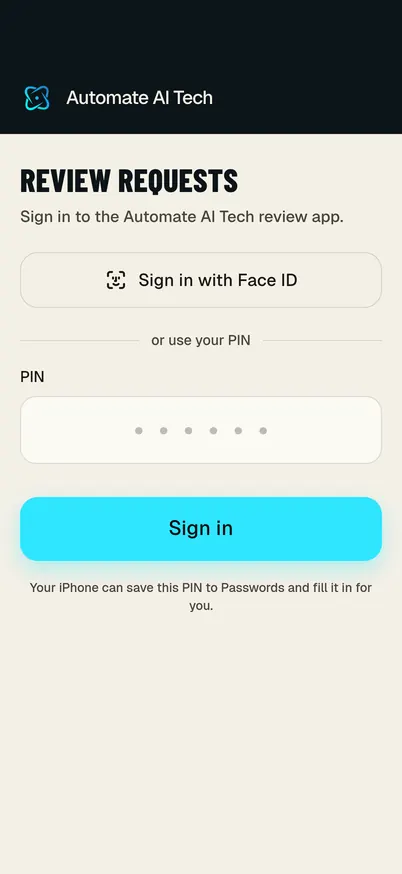 01
Sign in with a glance
Face ID, Touch ID, or your passcode. Your PIN still works.
-
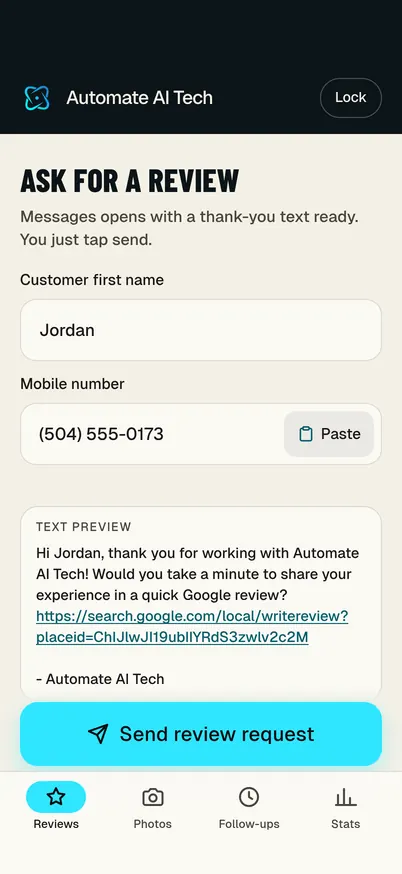 02
Type a name, paste a number
The thank-you text and your Google review link fill in for you.
-
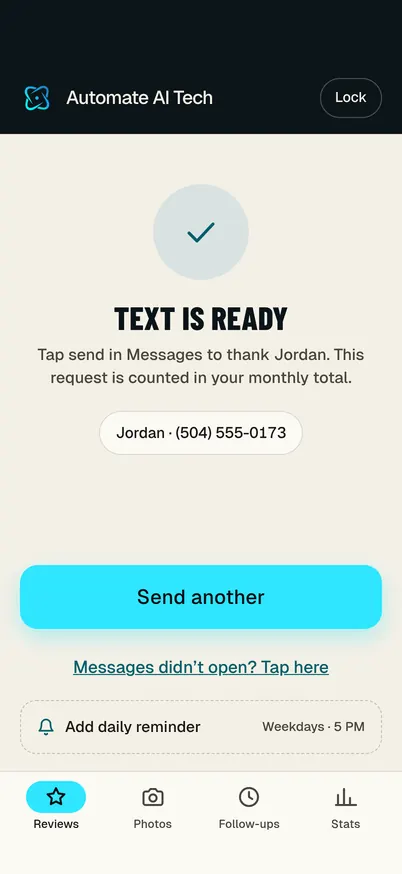 03
Tap send
Messages opens with the text ready. Each request counts toward your monthly total.
New features
The app keepsgetting better.
Short reels, recorded on our own app. Tap to play. No sound.
-
Episode 1
Skip the PIN
Sign in with your PIN once, tap “Use Face ID next time,” and your iPhone takes it from there. Your PIN still works anytime.
-
Episode 2
Paste a number
Copy a customer’s number from a text, an email, or a note and tap Paste. The app finds the number and formats it for you.
What you get
Made foryour business.
Your business name and review link
The thank-you text signs off as your business and links to your Google review page.
Runs on your phone
It opens in the phone's browser. Sign in with Face ID, Touch ID, your passcode, or a PIN.
A count you can see
Each request you send is added to your monthly total.
A daily reminder
Set a weekday reminder so the ask doesn't slip.
Review Booster is included with the Get Found service and every service above it.
Need invoicing, payments, and follow-ups too? See Work Follows, the full app included with the Get Chosen and Never Miss a Job services.